
This document introduces how to install a laser printer, including installing printer driver, connecting printer power line and parallel/USB line.
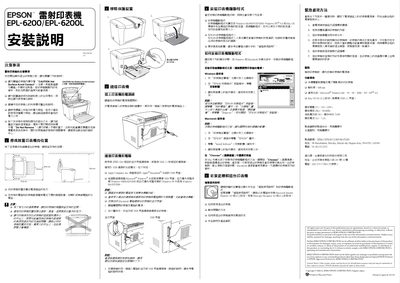
The manual begins with safety precautions, warning users not to touch hot surfaces, not to open the printer, and to follow all warning labels. It also advises on proper placement, keeping clear space around the printer, and avoiding proximity to other electrical equipment.
It then explains how to connect the printer using either an IEEE‑1284 parallel cable or a USB 1.1 cable, and provides step‑by‑step instructions for installing the printer driver software on Windows and Macintosh systems. Additional sections cover advanced usage, troubleshooting, and maintenance. This manual is written in Chinese.
| Resolution | 600 dpi |
|---|---|
| Rated Voltage | 110‑120 V |
| Rated Frequency | 50‑60 Hz |
| Power Consumption | ≈ 710 W (operating) |
| Rated Current | 7.2 A |
| Supported Interfaces | IEEE‑1284 parallel, USB 1.1 |
| Supported OS (Windows) | Windows Me/95/98/2000/XP/NT4.0 |
| Supported OS (Mac) | Mac OS 8.6 and later |
The printer can be connected via an IEEE‑1284 parallel cable or a USB 1.1 compatible cable.
Supported Windows versions are Me, 95, 98, 2000, XP and NT 4.0; Mac OS 8.6 or later is also supported.
The printer consumes approximately 710 W while operating.