
This document introduces the use of VPN login OA, including the installation of VPN key driver, modify VPN password, first use VPN operation instructions and other content.
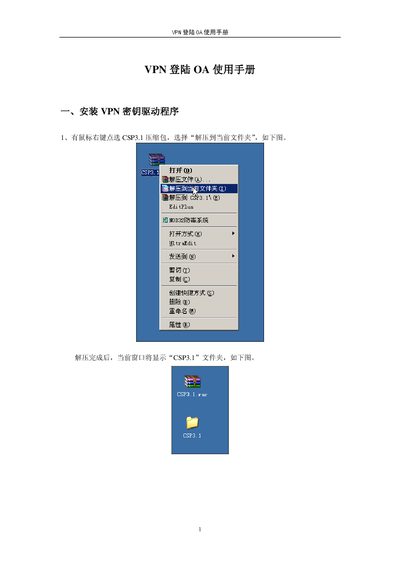
This manual explains how to install the VPN key driver (CSP3.1) on a Windows PC, including extracting the package, running the installer, and completing the setup. It also covers how to modify the VPN password using the HaiKey management tool.
After the driver is installed, the guide shows how to insert the HaiKey 3000 into a USB port, enter the OA login credentials, and access the OA system. Screenshots illustrate each step. This manual is written in Chinese.
| Required disk space | 376 OFB |
|---|---|
| Available disk space | 1.86 B |
| Device remaining capacity | 53376 |
| Device storage size | 65536 bytes |
Extract the CSP3.1 package, open the CSP3.1 folder, and run the “HKeyCSPUser 3.1_PKCS11” driver installer, then follow the on‑screen prompts.
Open the HaiKey management tool, select “Modify password”, enter the old password, the new password (4‑16 characters), confirm it, and click the confirm button.
Insert the HaiKey into a USB port, wait for the HaiKey prompt, enter the OA login password, and click the login button or press Enter.