
This is the user guide for Sony Ericsson M600i mobile phone. It contains information on how to use the phone's features such as phone calls, messaging, contacts, calendar, web browsing, media player, games, etc.
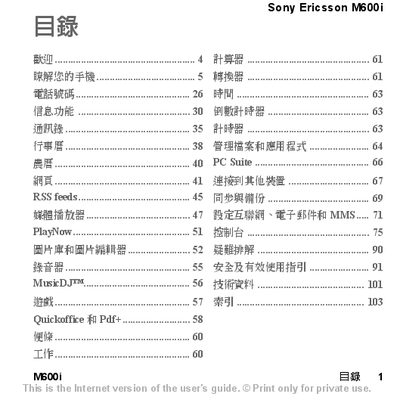
This manual covers everything you need to start using the Sony Ericsson M600i, including a quick‑start guide, detailed user instructions, and information on the phone’s built‑in features and available accessories. It also points you to online resources such as the web guide for the latest updates.
The document explains how to insert the SIM card, charge the battery, use Bluetooth, enable flight mode, manage contacts, send SMS, and troubleshoot common issues. Safety notices and precautionary advice are included throughout. This manual is written in Chinese.
| Memory Card Support | Memory Stick Micro (M2) |
|---|---|
| Included Cable | USB charging cable |
Remove the battery cover, insert the SIM card, and enter the PIN when the phone is first turned on.