
This document is about Epson color laser printer paper jam troubleshooting guide
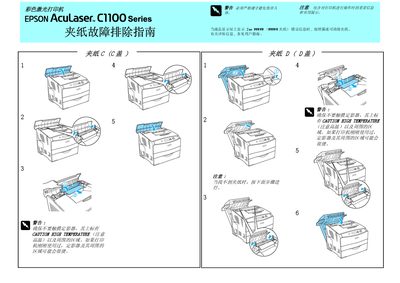
The manual begins with safety warnings, emphasizing that the fuser can become extremely hot and must not be touched (CAUTION HIGH TEMPERATURE). It then describes how to identify a jam when the LCD shows a jam error and directs the user to the detailed removal steps.
Jam removal procedures are organized by cover: C‑cover, D‑cover, E‑cover, and the bottom and universal trays. Special instructions are included for models equipped with an optional duplex unit, requiring the D‑cover to be opened first and closed after the jam is cleared. The guide ends with a reminder to follow all safety precautions to avoid injury. This manual is written in Chinese.
Do not touch the fuser, which is marked with a high‑temperature warning.
Open the D‑cover before attempting to clear the jam.