
The IBM Proventia Management SiteProtector SP2001 Quick Start Guide describes the process of connecting and performing the initial configuration of your IBM® Proventia® Management SiteProtector SP2001 appliance.
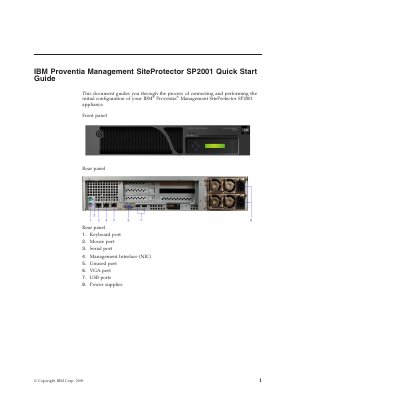
This guide covers the IBM Proventia Management SiteProtector SP2001 appliance's front and rear panel connections, the materials and network information needed before setup, and how to connect the appliance and complete initial network configuration through the LCD panel.
It then explains how to install and launch the SiteProtector Console, log in with the initial credentials, and where to find advanced settings and site configuration instructions.
| Management interface | NIC |
|---|---|
| Included Ethernet cable | Yes |
| Included power cords | 2 |
| Management web access port | 3994 |
Two power cords are included with the appliance.
The console login uses user name Administrator and password ISSADMIN.
A web browser points to https://
Connect both power cords, connect the network to the management interface with the supplied Ethernet cable, and turn on the appliance.