
This document describes the problem determination and service guide for the IBM QRadar Appliances 4531 series products.
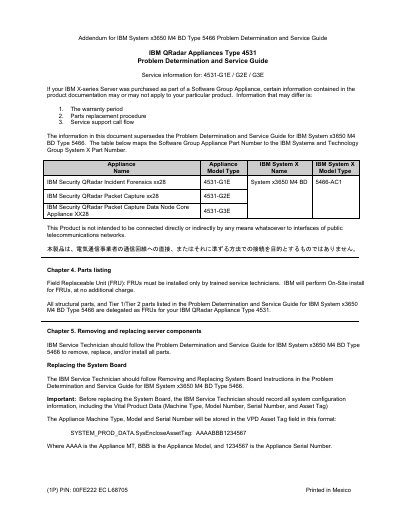
This addendum provides service information for IBM QRadar Appliances Type 4531 models 4531-G1E, 4531-G2E, and 4531-G3E. It maps the appliance part numbers to the IBM System x3650 M4 BD Type 5466 system and identifies the appliance models used for IBM Security QRadar Incident Forensics, Packet Capture, and Packet Capture Data Node Core Appliance.
The document covers parts listing, removal and replacement of server components including the system board, Vital Product Data recording and updates, and reactivation of Features on Demand keys after hardware replacement. It also provides instructions for obtaining documentation and requesting software and hardware service support.
| Appliance models covered | 4531-G1E / G2E / G3E |
|---|---|
| IBM System X system | System x3650 M4 BD 5466-AC1 |
| Features on Demand | Integrated Management Module II; Advanced ServeRAID M5200 Series RAID 6 Upgrade |
| Document part number | 00FE222 |
The guide covers IBM QRadar Appliances Type 4531 models 4531-G1E, 4531-G2E, and 4531-G3E.
The IBM Service Technician should record all system configuration information, including the Vital Product Data: Machine Type, Model Number, Serial Number, and Asset Tag.
FRUs must be installed only by trained service technicians, and IBM will perform on-site installation for FRUs at no additional charge.
The IBM Service Technician is responsible for reactivating Features on Demand keys after a hardware replacement using the IBM Feature on Demand User Guide.