
IBM® Tivoli® Provisioning Manager for Images System x® Edition is based on Tivoli Provisioning Manager for Images, version 7.1.1.9, and allows you to manage the virtualization infrastructure and accelerate provisioning to target computers by building a virtual image once and deploying it multiple times. It has the same components and features as Tivoli Provisioning Manager for Images; the only difference being that it runs on a subset of platforms.
IBM Tivoli Provisioning Manager for Images System x Edition Version 7.1.1.9 is a database-driven, network-based deployment solution for Windows, Linux, AIX, and Solaris operating systems. It enables cloning and unattended setup for these platforms, as well as VMware ESX unattended setup, from Windows or UNIX servers. The product includes virtualization features to discover, capture, copy, customize, and deploy images to physical or virtual machines.
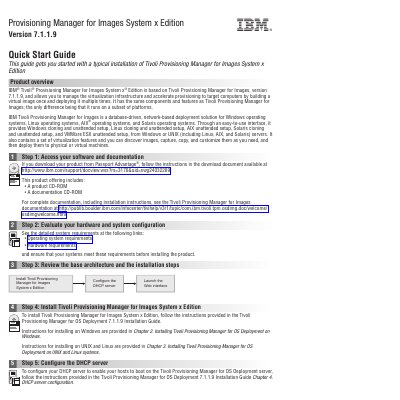
This guide walks through six steps to get started: accessing software and documentation via Passport Advantage, evaluating hardware and system requirements, reviewing the base architecture and installation steps, installing the product using the OS Deployment Installation Guide, configuring the DHCP server, and launching the web interface at http://localhost:8080. Additional resources include IBM software support and the developerWorks forum.
| Supported operating systems | Windows, Linux, AIX, Solaris |
|---|---|
| Server platforms | Windows or UNIX (Linux, AIX, Solaris) |
Download the product from Passport Advantage and follow the instructions in the download document available at the provided IBM support URL.
Refer to the detailed operating system and hardware requirements at the links provided in the guide before installing.
Open a web browser and go to http://localhost:8080, or on Windows use Start > All programs > IBM Tivoli Provisioning Manager > web interface.
Visit the IBM software support page for Tivoli Provisioning Manager for OS Deployment or the IBM developerWorks forum.