
The Source Audio External Tap Tempo Footswitch User’s Guide allows you to set the LFO speed or delay time for compatible Source Audio products (for example, the Vertigo Tremolo, Gemini Chorus, Mercury Flanger, Lunar Phaser, and Nemesis Delay). It also has a standard 1/4 inch output for use with compatible third-party products (normally open [NO], SPST).
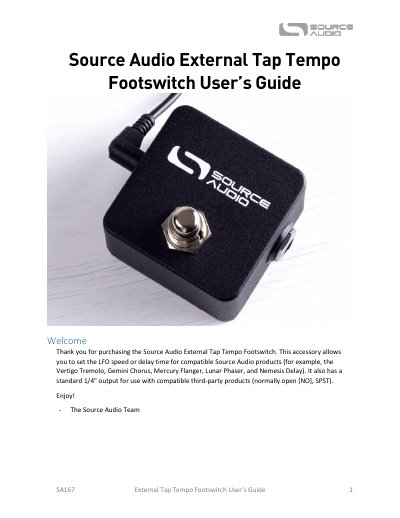
This guide describes the Source Audio SA167 External Tap Tempo Footswitch, an accessory that lets you set the LFO speed or delay time for compatible Source Audio products such as the Vertigo Tremolo, Gemini Chorus, Mercury Flanger, Lunar Phaser and Nemesis Delay. It also has a standard 1/4" output for compatible third-party products.
The guide explains the two tap tempo outputs: a 1/4" two-conductor TS output that works as a normally-open, momentary SPST switch for most third-party devices and the Nemesis, and a 3.5 mm (1/8") four-conductor TRRS output for compatible Source Audio products, which includes a passive de-bounce circuit. It also covers the internal circuits, how to enable external tap tempo in the Neuro App or USB Editor software, and the limited two-year warranty.
| Outputs | 1/4" two-conductor TS output and 3.5 mm (1/8") four-conductor TRRS output |
|---|---|
| 1/4" TS output type | Normally-open, momentary SPST switch |
| 1/8" TRRS contact assignment | Tip = power, ring 1 = switch signal, ring 2 = not used, sleeve = ground |
| Warranty period (USA) | Two (2) years from the date of purchase by the original purchaser |
Use a mono (TS) 1/4" instrument cable to connect the 1/4" TS output to your compatible third-party device.
Connect it to a compatible Source Audio device's Control Input jack using a 4-conductor (TRRS) 1/8" cable.
Use the Neuro App or the USB Editor software and turn on or check the option labeled "Enable External Tap Tempo Switch."
Source Audio warrants the footswitch against defects in materials and workmanship for two years from the purchase date when bought at an authorized dealer in the USA.