
Key facts
- Manuals
- 1
- Languages
- EN
- Last added
- 2023-11-29
Featured Source Audio manuals
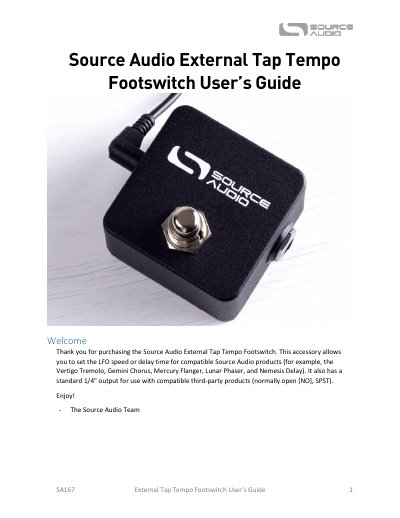
Source Audio SA167 External Tap Tempo Footswitch User's Guide
This guide describes the Source Audio SA167 External Tap Tempo Footswitch, an accessory that lets you set the LFO speed or delay time for compatible Source Audio products such as the Vertigo Tremolo, Gemini Chorus, Mercury Flanger, Lunar Phaser and Nemesis Delay. It also has a standard 1/4" output for compatible third-party products.
The guide explains the two tap tempo outputs: a 1/4" two-conductor TS output that works as a normally-open, momentary SPST switch for most third-party devices and the Nemesis, and a 3.5 mm (1/8") four-conductor TRRS output for compatible Source Audio products, which includes a passive de-bounce circuit. It also covers the internal circuits, how to enable external tap tempo in the Neuro App or USB Editor software, and the limited two-year warranty.
Covers: Welcome · Tap Tempo Outputs · 1/4" TS Output · 1/8" TRRS Output · Internal Circuit · Enabling Tap Tempo on your Source Audio Effects Pedal
Latest Source Audio manuals
Source Audio SA167 External Tap Tempo Footswitch User's Guide
User Manual 6 pages · 691 KB · ENSource Audio SA167 External Tap Tempo Footswitch user's guide covering the 1/4" TS and 1/8" TRRS outputs, setup, wiring and warranty.
Which document do I need?
User Manual
Day-to-day operation, settings and troubleshooting. Start here if the product is already set up.
Questions answered in Source Audio manuals
What cable should I use with the 1/4" TS output?
Use a mono (TS) 1/4" instrument cable to connect the 1/4" TS output to your compatible third-party device.
From: Source Audio SA167 External Tap Tempo Footswitch User's Guide
What cable connects the 1/8" TRRS output?
Connect it to a compatible Source Audio device's Control Input jack using a 4-conductor (TRRS) 1/8" cable.
From: Source Audio SA167 External Tap Tempo Footswitch User's Guide