
User manual for Dell laptop.
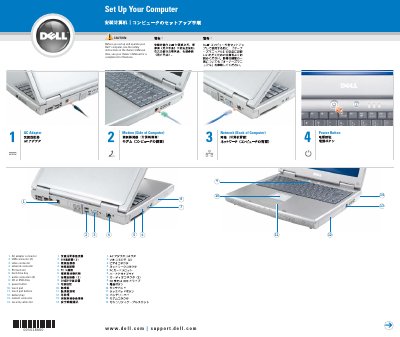
This document provides a quick setup guide for the Dell Latitude laptop. It identifies key hardware components including the AC adapter connector, USB ports, video and network connectors, and the battery bay.
The guide includes instructions for removing the battery and connecting to a wireless network using the Microsoft Windows operating system.
Slide the battery latch release and pull the battery out of the bay.
Slide the battery latch release and pull the battery out of the bay.
Right-click the wireless network connections icon on the Windows desktop, click View Available Wireless Networks, select the network you want to join, and click Connect.
Click Start, click Help and Support, click User and system guides, click User’s guides, and then click Dell Latitude Help.