
This document describes how to set up and operate a Dell laptop.
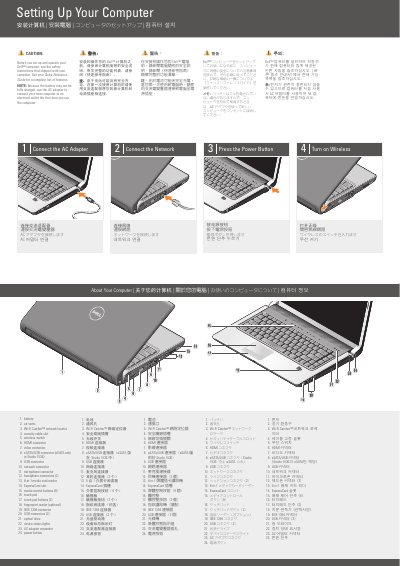
This short guide shows how to set up a Dell laptop, including connecting the AC adapter, network, power button, and wireless. It includes a labeled diagram identifying the computer's ports, buttons, slots, and other features.
It also describes an optional wireless network setup and directs readers to the Quick Reference Guide and support.dell.com for more information.
| Media card reader | 8-in-1 |
|---|---|
| Headphone connectors | 2 |
| Touch pad buttons | 2 |
| Media control buttons | 9 |
See the safety instructions that shipped with the computer.
Use the AC adapter to connect the new computer to an electrical outlet.
See the Quick Reference Guide, or go to support.dell.com if you do not have a printed copy.