
Dell DL1300 Getting Started With Your System introduces the features and characteristics of the system.
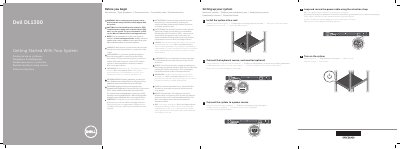
This short Dell guide walks through the initial setup of a DL1300 system. It covers reviewing the safety instructions before you begin, installing the system into a rack, connecting the keyboard, mouse and optional monitor, connecting the system to a power source, looping and securing the power cable with the retention strap, and turning the system on.
The guide also lists the technical specifications required by law to ship with the system: the power rating per power supply unit, the system battery type, and the maximum ambient temperature for continuous operation. It closes with the Dell End User License Agreement statement and directs readers to Dell.com/support/home for the full documentation set and the Owner’s Manual. The same content is repeated in Czech, Greek, Polish, Serbian and Turkish.
| Power rating per power supply unit (PSU) | 250 W (Bronze) AC (100–240 V, 50/60 Hz, 4.0 A–2.0 A) |
|---|---|
| System battery | 3 V CR2032 lithium coin cell |
| Maximum ambient temperature for continuous operation | 35 °C |
| IT power system voltage | Phase-to-phase voltage not exceeding 230 V |
Use Extended Power Performance (EPP) compliant power supply units, indicated by the EPP label.
The maximum ambient temperature for continuous operation is 35 °C.
See the Owner’s Manual at Dell.com/support/home.
It uses a 3 V CR2032 lithium coin cell battery.