
Dell Display Manager is an application for Windows used to manage a single or group of monitors. It allows manual adjustment of the displayed image, allocation of automatic settings, use of power management, image rotation and other features on select Dell models.
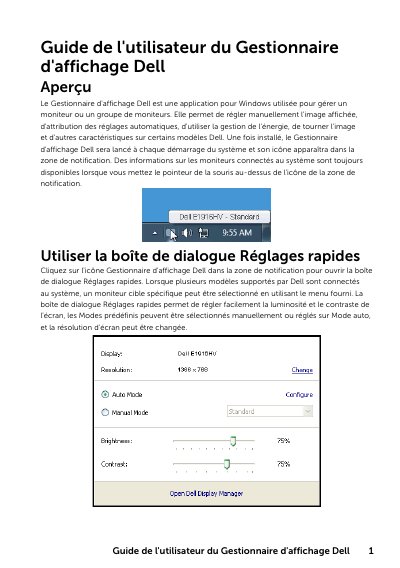
Dell Display Manager is a Windows application used to manage one monitor or a group of monitors. It can adjust the displayed image manually, apply automatic preset modes, use power management, rotate the image, and provide other features on some Dell models.
After installation, the application starts automatically with the system and its icon appears in the notification area. The guide covers the Quick Settings dialog, basic display functions, Auto Mode application assignments, and PowerNap power-saving options on supported Dell models. This manual is written in French.
| Operating system | Windows |
|---|
Click the Dell Display Manager icon in the notification area.
Yes, the Auto Mode tab lets you associate a preset mode with a specific application and apply it automatically.
Batch files, scripts, loader programs, and non-executable files such as zip or compressed files are not supported.
On supported Dell models, monitor brightness can be set to the minimum level or the monitor can be put to sleep when the screensaver activates.