
Dell Latitude 14 7000 Series (7470/E7470) Notebook Quick Start Guide

The Dell Latitude 14 7000 Series Notebook Quick Start Guide.
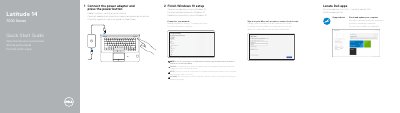

Dell Latitude 14 7000 Series (7470/E7470) Notebook Quick Start Guide - cover page
Brand
DELL
Category
Laptops
Document type
Quick Start Guide
Language
English
Pages
2
File format
PDF
File size
257 KB
Published
25 November, 2023
Updated
25 November, 2023
MD5 checksum
328649DB77956C845F2B5C66DB48B300

About this manual

This quick start guide covers initial setup steps for the Dell Latitude 14 7000 Series notebook, including connecting power, completing Windows 10 setup, and connecting to a network. It also identifies the notebook's connectors, ports, lights, and optional features.

The guide includes product support and manual links, contact information, and regulatory, safety, and model details. It is presented in English, Polish, Romanian, and Slovenian.

What's inside

  • Connect the power adapter and press the power button
  • Finish Windows 10 setup
  • Features
  • Product support and manuals
  • Contact Dell
  • Regulatory and safety
  • Regulatory model
  • Regulatory type
  • Computer model

Specifications

Computer modelLatitude 14-7470/E7470
Regulatory modelP61G
Regulatory typeP61G001
USB 3.0 connectors2

Frequently asked questions

Where can I find product support and manuals for this notebook?

The guide lists Dell.com/support, Dell.com/support/manuals, and Dell.com/support/windows.

What computer model does this guide cover?

It covers the Latitude 14-7470/E7470.

What is the regulatory model?

The regulatory model is P61G.

How many USB 3.0 connectors are listed?

Two USB 3.0 connectors are listed.

Download PDF (257 KB)

More DELL Manuals


View all DELL manuals →