
VMware ESXi host is designed to take advantage of the expanded memory and I/O slots of your Dell PowerEdge system, VMware's ESXi software represents the latest in virtualization technology. Each host runs an integrated version of virtualization software to enable your virtualization solution.
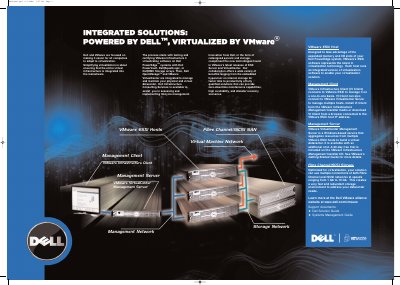
This Dell setup guide describes how to bring a VMware ESXi host into service on a Dell PowerEdge system. It walks through the numbered setup steps: reading the Rack Install Guide and Getting Started Guide, connecting network cables to the LAN on Motherboard (LOM) NIC connectors for the management, virtual machine and optional storage networks, turning on the system so that ESXi loads, pressing
The guide also covers management options and licensing. A single host can be managed with the VMware Infrastructure Client (VI Client) on a one-to-one basis, while VMware VirtualCenter Server, available at additional cost or as a 60-day trial, aggregates resources from multiple hosts. License codes are retrieved from the View Support Information menu, and owners of advanced editions can claim additional features at VMware's registration site. A server information area is provided for recording the IP address, server name and license code.
| Storage network speeds | 1 Gb to 10 Gb |
|---|---|
| Supported storage networks | Fibre Channel and iSCSI |
| Default IP configuration | DHCP |
| VirtualCenter trial period | 60-day free trial |
Select Configure Management Network from the main menu; the system uses DHCP by default, and in the Network Configuration screen you set your DNS parameters.
In the main screen select the View Support Information menu; the serial number (license) appears there, and it is recommended that you record it in a safe place.
VI Client connects to VMware ESXi to manage it on a one-to-one basis; to manage multiple hosts you use VMware VirtualCenter Server.
Yes, if you purchased ESXi in addition to your primary operating system, you need to change the boot order to allow ESXi to boot.