
The Dell™ 1800MP Projector is a high-brightness, high-contrast projector that is ideal for business and education use. It features:
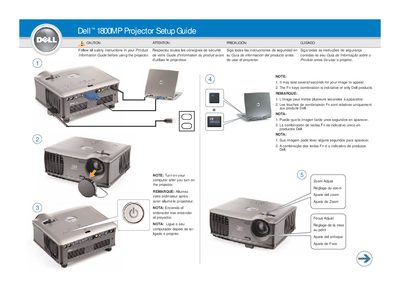
This setup guide covers the Dell 1800MP projector and provides safety instructions in English, French, Spanish, and Portuguese. It notes that the image may take several seconds to appear and that Fn key combinations apply only to Dell products.
The guide lists the 16 buttons on the remote control, including power, volume, video mode, source, keystone adjustment, and auto adjust. It also states that a USB cable is required for Page Up and Page Down on the remote and is not provided by Dell.
Follow all safety instructions in your Product Information Guide before using the projector.
No, the USB cable is not provided by Dell.
Turn on your computer after you turn on the projector.
It may take several seconds for your image to appear.