
Dell Wyse Cloud Client Wyse 5020 Quick Start Guide
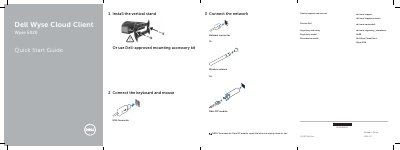
This document is the Quick Start Guide for the Dell Wyse Cloud Client Wyse 5020. It outlines the initial setup steps required to get the device operational, including mounting options and connecting peripherals.
The guide details how to connect the keyboard, mouse, and vertical stand. It also covers network connectivity options, including the use of a Fibre SFP module or wireless antenna. Finally, it instructs users on connecting the display and power cable to activate the device.
| Network port speed | 10/100/1000 Base-T or SFP |
|---|---|
| Power adapter input | +19V |
| USB 2.0 ports | 2x |
| Super speed USB 3.0 ports | 2x |
| Wireless antenna ports | 2x (optional) |
| Display Port connector | 1x |
| DVI-I port | 1x DVI-D / 1x VGA |
The client device is ready to use when the client device activity light goes off.
For more information, see the Administrator's Guide at www.dell.com/support.