
Dell W2600 26-inch LCD TV Quick Start Guide

The Dell™ W2600 26-inch LCD TV has a stylish design and is equipped with a variety of interfaces that can connect to a variety of devices.
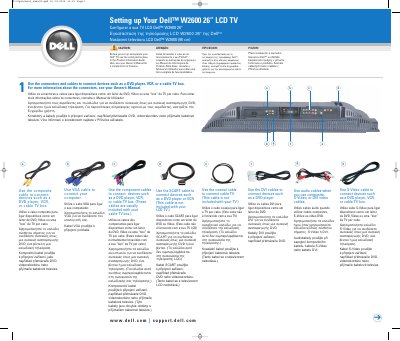

Dell W2600 26-inch LCD TV Quick Start Guide - cover page
Brand
DELL
Category
Television
Document type
Quick Start Guide
Language
English
Pages
2
File format
PDF
File size
4.1 MB
Published
24 November, 2023
Updated
24 November, 2023
MD5 checksum
412080C81B0EA4E9BF1F7E9728FC0B7A

About this manual

This guide explains how to set up the Dell W2600 26-inch LCD TV, including connecting devices such as a DVD player, VCR, or cable TV box using composite, component, S-Video, DVI, VGA, SCART, or coaxial cables.

It also covers installing batteries in the remote control, plugging in and turning on the TV, and selecting the correct input source such as VGA, DVI, TV, AV1, AV2, AV3, AV4, AV5, AV6, SCART, or Card Reader.

What's inside

  • Setting up your Dell W2600 26-inch LCD TV
  • Install batteries in your remote control
  • Select the proper input source for your TV
  • Plug in and turn on your TV
  • Press Input on your remote control
  • Additional tips for setting up and using your Dell W2600 26-inch LCD TV

Specifications

Screen size26-inch
Display typeLCD
VGA connector locationBottom of the TV
SCART connector locationBack of the TV

Frequently asked questions

How do I connect my computer to the Dell W2600 TV?

Use the VGA cable to connect your computer.

Which input source should I select for the ANT/Cable connector?

Select TV from the Input Select menu.

Where is the SCART connector located on the TV?

The SCART connector is on the back of the TV.

Download PDF (4.1 MB)

More DELL Manuals


View all DELL manuals →