
Dell Precision Tower 3420 Quick Start Guide

The Dell Precision Tower 3420 Quick Start Guide provides information on how to set up and use the Dell Precision Tower 3420 desktop computer.
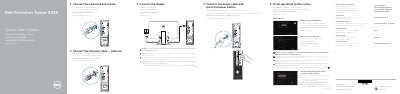

Dell Precision Tower 3420 Quick Start Guide - cover page
Brand
DELL
Category
Desktops
Document type
Quick Start Guide
Language
English
Pages
2
File format
PDF
File size
638 KB
Published
24 November, 2023
Updated
24 November, 2023
MD5 checksum
0AF9C648E1E8DBEB1AE7152BABE1563F

About this manual

This document is a multilingual Quick Start Guide for the Dell Precision Tower 3420 workstation. It provides step-by-step instructions in English, Indonesian, Spanish, Vietnamese, and Arabic for connecting the power, display, keyboard, and mouse, as well as setting up the network and operating system.

What's inside

  • Finish operating system setup
  • Enable security and updates
  • Connect to your network
  • Connect the keyboard and mouse
  • Connect the power cable
  • Connect the display
  • Features
  • Set up password for Windows
  • Locate Dell apps in Windows 8.1
  • Register My Device

Specifications

Regulatory modelD11S
Regulatory typeD11S001

Frequently asked questions

What should I do if I am connecting to a secured wireless network?

Enter the password for the wireless network access when prompted.

Where can I find the latest drivers for my computer?

Visit dell.com/support for the latest drivers.

Does this guide cover Windows 10 setup?

Yes, the guide includes instructions for Windows 10, noting that an upgrade from Windows 7 32-bit requires manual driver installation.

Download PDF (638 KB)

More DELL Manuals


View all DELL manuals →