
Dell PowerConnect W-AirWave 7.5 AMP Integration Guide

This document describes how to integrate Dell PowerConnect W-AirWave 7.5 AMP with a centralized NMS Event Correlation System.
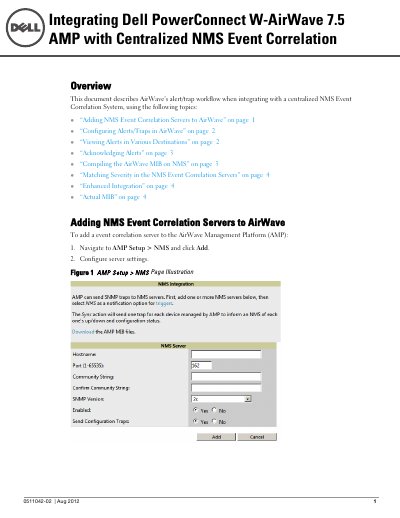

Dell PowerConnect W-AirWave 7.5 AMP Integration Guide - cover page
Brand
DELL
Category
Other Electronics
Document type
Other
Language
English
Pages
8
File format
PDF
File size
240 KB
Published
24 November, 2023
Updated
24 November, 2023
MD5 checksum
C11D3FD45CB08199D37D28DED3C31AFE

About this manual

This document provides instructions for integrating the Dell PowerConnect W-AirWave 7.5 AirWave Management Platform (AMP) with a centralized Network Management System (NMS) Event Correlation System. It covers adding NMS servers, configuring alerts and traps, viewing alerts in various destinations, and acknowledging alerts.

What's inside

  • Adding NMS Event Correlation Servers
  • Configuring Alerts/Traps
  • Viewing Alerts in Various Destinations
  • Acknowledging Alerts
  • Compiling the AirWave MIB
  • Matching Severity in NMS
  • Enhanced Integration
  • Actual MIB Definitions

Specifications

Document DateAug 2012
Document Version0511042-02

Frequently asked questions

How do I add an NMS Event Correlation Server to AirWave?

Navigate to AMP Setup > NMS and click Add, then configure the server settings.

Can I acknowledge alerts from the NMS server?

No, AirWave alerts must be manually acknowledged from the System > Alert page within the AirWave console.

What does the OID 12028.4.15.1.102 contain?

It contains the AirWave severity code, where 2 is Normal, 3 is Warning, 4 is Minor, 5 is Major, and 6 is Critical.

Download PDF (240 KB)

More DELL Manuals


View all DELL manuals →