
The Dell Vostro 3267/3268 Quick Start Guide provides instructions on how to connect the keyboard and mouse, connect the network cable, connect the display, connect the power cord and press the power button, and finish Windows 10 setup.
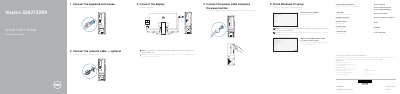
This document provides a bilingual quick start guide for the Dell Vostro 3267/3268 desktop computer. It outlines the initial setup steps, including connecting the keyboard, mouse, network cable, display, and power cable. Users are instructed to press the power button and complete the Windows 10 setup process.
| Input Voltage | 100 V AC–240 V AC |
|---|---|
| Input Current | 3 A |
| Input Frequency | 50 Hz–60 Hz |
You can find support and manuals at Dell.com/support.
In Windows search, type Recovery, click Create a recovery media, and follow the instructions on the screen.