
A guide to setting up a Dell computer, including safety instructions, a list of features, and instructions on charging the battery.
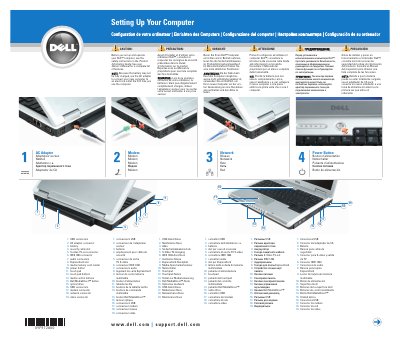
This document provides essential safety instructions and setup procedures for a new Dell computer. It advises users to consult the Product Information Guide for safety details and the Owner's Manual for a complete feature list. A key initial step is connecting the computer to an AC adapter to ensure the battery is fully charged before first use. The guide includes labeled diagrams of the computer's ports and buttons in multiple languages.
Connect the computer to an electrical outlet using the AC adapter to charge the battery, as it may not be fully charged upon purchase.
You should refer to the Owner's Manual for a complete list of features.
You need high-speed Internet access, a wireless router, and a wireless network card.