
Dell OptiPlex 7050 Micro Quick Start Guide

OptiPlex 7050 Micro Desktop Quick Start Guide
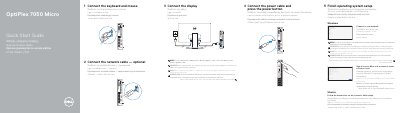

Dell OptiPlex 7050 Micro Quick Start Guide - cover page
Brand
DELL
Category
Desktops
Document type
Quick Start Guide
Language
English
Pages
2
File format
PDF
File size
579 KB
Published
22 November, 2023
Updated
22 November, 2023
MD5 checksum
E763346EFE6F627E28B9679C42767D88

About this manual

This document is a Quick Start Guide for the Dell OptiPlex 7050 Micro desktop computer. It provides multilingual instructions for connecting essential peripherals such as the keyboard, mouse, network cable, and display. A specific note advises users with discrete graphics cards to connect the display to that card instead of the motherboard port. The guide also covers initial power-on steps and operating system setup for Windows, Ubuntu, and other supported environments.

What's inside

  • Connect the keyboard and mouse
  • Connect the network cable
  • Connect the display
  • Connect the power cable
  • Finish operating system setup
  • Locate Dell apps
  • Product support and manuals
  • Regulatory and safety

Specifications

Copyright year2016

Frequently asked questions

What should I do if my computer has a discrete graphics card?

Connect the display to the discrete graphics card.

Where can I find Dell support and manuals?

Visit Dell.com/support or Dell.com/support/manuals.

Download PDF (579 KB)

More DELL Manuals


View all DELL manuals →