
The Dell computer setup guide introduces the various parts of the computer and how to connect the power supply and network.
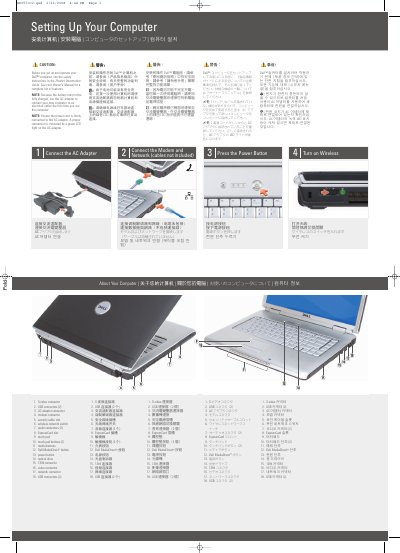
This Dell Inspiron 1520/1521 setup guide explains how to connect the AC adapter, connect the modem and network, press the power button, and turn on wireless. It also lists the computer's connectors and directs users to the Owner's Manual and Dell support for more information.
The guide notes that the battery may not be fully charged initially and that a green LED on the AC adapter indicates a proper connection. It includes an optional wireless network diagram and component list, along with copyright and trademark information for Dell Inc.
| AC adapter connection indicator | green LED light |
|---|
Use the AC adapter to connect the computer to an electrical outlet.
A green LED light on the AC adapter indicates a proper connection.
See the Owner's Manual; if you do not have a printed copy, click the Documentation and Support icon on the desktop or go to support.dell.com.
Internet service, a cable or DSL modem, a wireless router, and a computer with a network adapter or wireless network card.