
Dell XPS 8900 Quick Start Guide

The Dell XPS 8900 Quick Start Guide provides instructions on how to connect the keyboard and mouse, connect the network cable, connect the display, connect the power cable and press the power button, set up a password for Windows, and connect to a network.
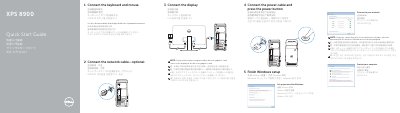

Dell XPS 8900 Quick Start Guide - cover page
Brand
DELL
Category
Desktops
Document type
Quick Start Guide
Language
English
Pages
2
File format
PDF
File size
441 KB
Published
20 November, 2023
Updated
20 November, 2023
MD5 checksum
606EFA479A141C640EFF19A259618E60

About this manual

This document serves as a Quick Start Guide for the Dell XPS 8900 computer. It outlines the initial setup steps, including connecting the keyboard, mouse, display, and power cable, followed by completing the Windows setup and configuring network access. Special notes are included for systems with discrete graphics cards and secured wireless networks.

What's inside

  • Connect the keyboard and mouse
  • Connect the display
  • Connect the power cable
  • Finish Windows setup
  • Set up password for Windows
  • Connect to your network
  • Protect your computer
  • Features

Frequently asked questions

What should I do if I ordered the computer with a discrete graphics card?

Connect the display to the discrete graphics card.

What is required to connect to a secured wireless network?

Enter the password for the wireless network access when prompted.

Download PDF (441 KB)

More DELL Manuals


View all DELL manuals →