
This document describes how to connect the keyboard, mouse, display, and power cord.
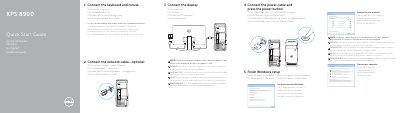
This document serves as a multilingual quick start guide for the Dell XPS 8900 computer. It provides step-by-step instructions for connecting peripherals such as the keyboard, mouse, display, and power cable, as well as setting up the Windows operating system and network connection. The guide includes specific notes for users who have ordered the computer with a discrete graphics card.
| USB 3.0 ports | 6 |
|---|---|
| USB 2.0 ports | 4 |
| Optical-drive bays | 2 |
| Expansion-card slots | 4 |
You must connect the display to the discrete graphics card.