
Dell Display Manager is a Windows application used to manage a monitor or a group of monitors.
The Dell Display Manager is a Windows application used to manage one or more monitors. It allows for manual image adjustment, assignment of automatic settings, power management, and image rotation on some Dell models. Once installed, it runs at system startup and displays an icon in the notification area. This manual is written in Portuguese.
It is a Windows application used to manage one or a group of monitors.
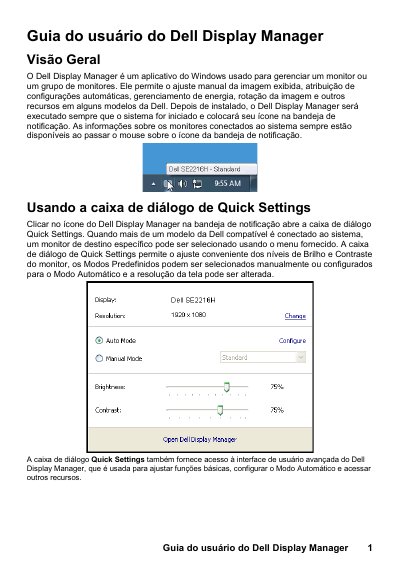
You can change the resolution by using the Quick Settings dialog box.
Yes, the Automatic Mode feature allows you to associate a specific preset mode with a specific application.