
This document describes the setup steps for a Dell computer, including connecting a keyboard and mouse, connecting a network cable, connecting a monitor, and connecting power cords.
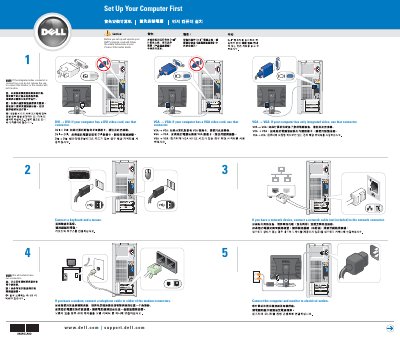
This guide provides step-by-step instructions for setting up a Dell computer. It details how to connect essential peripherals such as a keyboard, mouse, and network cable, as well as specific monitor connections like DVI and VGA. Important safety notes are included regarding modem connectors and video card caps.