
Dell Latitude 14 5000 Series E5470 Laptop Quick Start Guide

Quick Start Guide for Dell Latitude 14 5000 Series E5470 laptop.
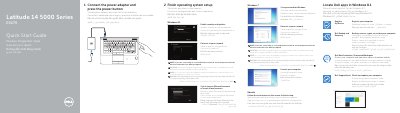

Dell Latitude 14 5000 Series E5470 Laptop Quick Start Guide - cover page
Brand
DELL
Category
Laptops
Document type
Quick Start Guide
Language
English
Pages
2
File format
PDF
File size
1.1 MB
Published
20 November, 2023
Updated
20 November, 2023
MD5 checksum
A14F95E607226E569DFF2F7102F7B345

About this manual

This document serves as a multilingual quick start guide for the Dell Latitude 14 5000 Series E5470 laptop. It provides step-by-step instructions for initial setup, including connecting the power adapter, finishing operating system setup, enabling security and updates, and connecting to a network. The guide supports multiple languages including English, Indonesian, Spanish, Vietnamese, and Arabic.

What's inside

  • Connect the power adapter
  • Finish operating system setup
  • Enable security and updates
  • Connect to your network
  • Locate Dell apps
  • Register My Device
  • Dell Backup and Recovery
  • Dell SupportAssist
  • Features
  • Product support and manuals

Frequently asked questions

What operating system does this guide cover for initial setup?

The guide provides instructions for setting up Windows 8.1 and Ubuntu.

What should I do if I connect to a secured wireless network?

You must enter the password for the wireless network access when prompted.

Which Dell applications are mentioned for backing up and protecting data?

The guide lists Dell Backup and Recovery and Dell Data Protection | Protected Workspace.

Download PDF (1.1 MB)

More DELL Manuals


View all DELL manuals →