
The Dell PowerEdge T30 Getting Started Guide describes the features and characteristics of the product.
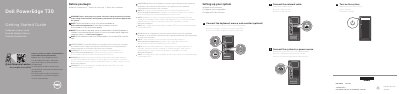
This document serves as a Getting Started Guide for the Dell PowerEdge T30 server. It outlines the steps to connect peripherals, network cables, and power sources, followed by instructions to turn on the system. The guide emphasizes safety precautions and directs users to external resources for further documentation and operating system support.
| Power rating per PSU | 290 W AC (100–240 V, 50/60 Hz, 5.4 A) |
|---|---|
| System battery | 3 V CR2032 lithium coin cell |
| Maximum ambient temperature | 10 °C (50 °F)–35 °C (95 °F) |
The documentation set is available at Dell.com/poweredgemanuals.
Ensure that the operating system is installed before installing hardware or software not purchased with the system.
Yes, if you install more than four SATA hard drives, you need a SATA controller card.