
Dell PowerEdge T30 Getting Started Guide

The Dell PowerEdge T30 Getting Started Guide introduces the features and characteristics of the product.
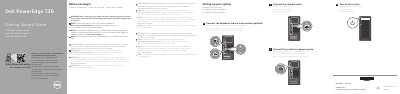

Dell PowerEdge T30 Getting Started Guide - cover page
Brand
DELL
Category
Servers Computer
Document type
User Manual
Language
English
Pages
2
File format
PDF
File size
208 KB
Published
20 November, 2023
Updated
20 November, 2023
MD5 checksum
58203F4B8A7C6B827979033C5681714B

About this manual

This document serves as a Getting Started Guide for the Dell PowerEdge T30 server. It outlines the essential steps required to set up the system, including connecting peripherals like the keyboard, mouse, and monitor, as well as the network cable and power source. The guide instructs users to power on the system and refers to additional documentation for detailed safety, environmental, and regulatory information.

What's inside

  • Setting up your system
  • Connect the keyboard, mouse, and monitor
  • Connect the network cable
  • Connect the system to a power source
  • Turn on the system
  • Technical specifications
  • Dell End User License Agreement
  • Regulatory model/type

Specifications

Power rating per PSU290 W AC (100–240 V, 50/60 Hz, 5.4 A)
System battery3 V CR2032 lithium coin cell
Maximum ambient temperature10 °C (50 °F)–35 °C (95 °F)

Frequently asked questions

Where can I find the latest documentation updates?

The documentation set is available at Dell.com/poweredgemanuals.

What is required if I install more than four SATA hard drives?

You need a SATA controller card.

Download PDF (208 KB)

More DELL Manuals


View all DELL manuals →