
This guide describes how to set up the keyboard and mouse, connect the network cable, connect the power cable and turn on the computer, finish Windows setup, enable security and updates, sign in to your Microsoft account or create a local account, and connect to your network.
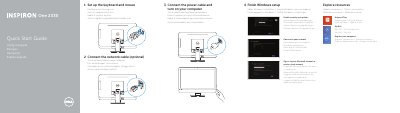
This document serves as a quick start guide for the Dell One 2330 All-in-One PC. It provides multilingual instructions for setting up the keyboard and mouse, connecting network and power cables, and completing the initial Windows setup process. Users are guided to enable security updates and sign in to their Microsoft account or create a local one.
| Product Model | One 2330 |
|---|---|
| Product Type | Computer |
| Printed Location | China |
| Copyright Year | 2013 |
Connect the power cable and turn on your computer.
Finish Windows setup by following the on-screen instructions.
You can find them at dell.com/support or dell.com/support/manuals.