
Golden Interstar Hypro 4K Android Set Top Box User Manual 1GB DDR3 8 GB EMMC-Flash
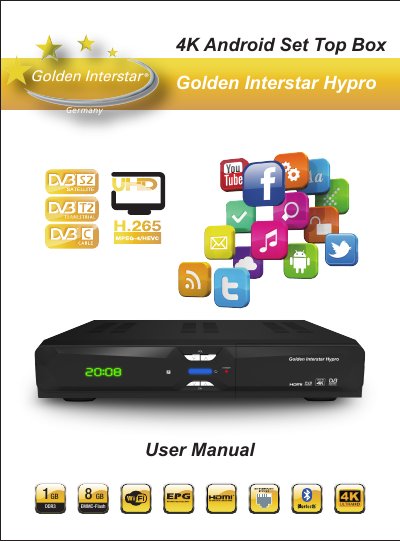
This user manual covers the Golden Interstar Hypro 4K Android set top box, including safe use, hardware connections, remote control and first-time software installation. It explains how to search for digital satellite TV and radio channels, watch live TV, and use features such as PVR, time-shift, EPG, timer and channel manager.
The manual also describes Android media box functions, including installing apps from the Google Play Store, external USB/SD storage and the TV app store, customizing the launcher, and using Miracast, AirPlay and DLNA. It ends with system settings, system upgrade, troubleshooting guidance and hardware specifications.
| RAM | DDR3 1 GB |
|---|---|
| Flash | eMMC 8 GB |
| Satellite tuner mode | DVB-S (QPSK, ETS 300 421) and DVB-S2 (QPSK / 8PSK, ETS 302 307) |
| Satellite frequency range | 950 – 2150 MHz |
| Terrestrial tuner standard | ETSI EN 302-755 V1.3.1 and EN 300-744 V1.6.1 |
| Terrestrial frequency range | 52.5 MHz to 866 MHz |
| Video decoding | H.264/H.265 HEVC MP up to 4K UHD at 60 fps |
| HDMI output | HDMI 2.0, supports HDCP2.2 |
| Video resolution | 4K at 60Hz, 4K at 50 Hz, 1080p/i, 720p |
| Audio decoding | Dolby Digital/Digital Plus, MEPG, AAC, HE-AAC, OGG, OGA, FLAC, ALAC, Ape, M4A, RM, MPEG-1 Layer1/2, MPEG-2 Layer II |
| Power supply | DC input 12 V/2.0 A |
| Power consumption | Max. 24 W |
| Rear connectors | ANT IN, LNB IN, 3 USB, optical SPDIF, AV, reset, Ethernet, HDMI output, MicroSD card slot, DC IN |
| Front controls | Power, IR sensor, Vol+, Vol-, CH+, CH-, USB, CA slot |
| Operating temperature | 0 °C – 40 °C |
| Storage temperature | -10 °C – 65 °C |
The default password is 0000 for the media box.
Connect the interfaces on the television with the corresponding interfaces on the product, such as connecting the product to the TV set through the HDMI cable, then connect the power and turn on the switch.
The first installation helps search digital satellite TV and radio channels automatically. Choose the satellite, configure LNB parameters, and then press the Blue button to search channels automatically.
Apps can be installed from the Google Play Store, from external USB or SD card storage, or from the TV app store.
Check that the HDMI cable is firmly connected, that the correct HDMI input is selected on the HDTV, and that the antenna cable and tuner parameters are set correctly.