
The AAT Mobile (iOS) User Manual introduces how to download and use the AAT Mobile application. The application allows users to view flight schedules, check air waybill status, receive cargo status notifications, etc.
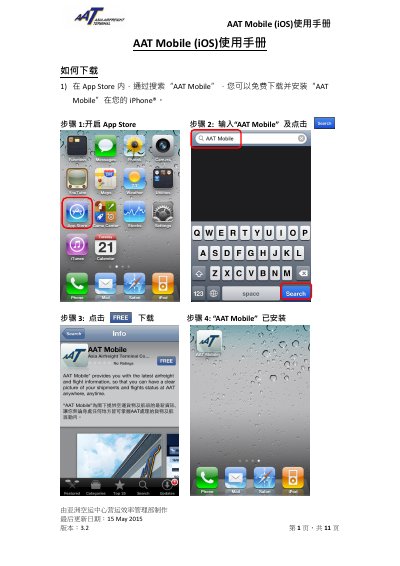
The manual explains how to download AAT Mobile from the App Store and use its main functions: flight schedule lookup for arrivals and departures, air waybill tracking for import and export shipments, storage charge enquiry, and push notification setup. It also covers app settings such as language selection, automatic AWB record clearance, and news notifications, plus contact information and FAQs in the About section. This manual is written in Chinese.
| Supported languages | Traditional Chinese, Simplified Chinese, English |
|---|---|
| Maximum AWB records | 10 |
| AWB number length | 11 digits |
| Default AWB auto-clearance period | 2 months |
Open the App Store, search for "AAT Mobile", and tap Download to install it for free.
You can register up to 10 AWB numbers, each must be 11 digits.