
NeuroTechnology Studio Leica DMi8 User Manual introduces how to use the microscope, including start-up, microscope display, channel set-up, apply previous settings, display window, acquisition window, navigator, objective resolution info, camera binning format info and shutdown.
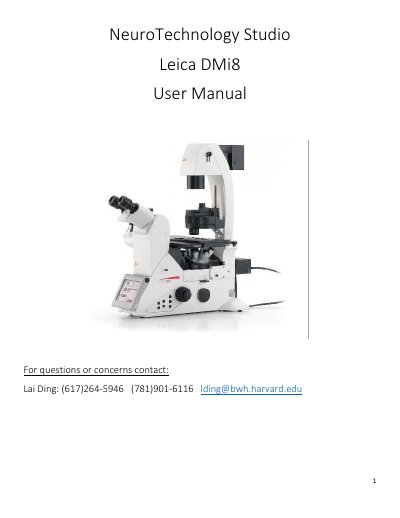
This user manual covers the Leica DMi8 microscope and its operation with LAS X software. It explains how to start up the system, log in to a lab account, select cameras, and save images to the correct drive.
Topics include microscope display controls, channel set-up, applying previous settings, the display and acquisition windows, the navigator, objective and camera information, and shutdown procedures.
| Objective magnifications | 5X, 10X, 20X, 40X, 63X (oil), 100X (oil) |
|---|---|
| Numerical aperture | 0.12, 0.45, 0.4, 0.95, 1.4, 1.4 |
| Working distance | 14000um, 2800um, 6900um, 170um, 140um, 90um |
| Fluorescence camera pixel size | 6.5um |
| Color camera pixel size | 2.4um |
Save files to the E: drive “User Images” folder and the corresponding lab folder; do not save under C: or D: drive.
The Leica DFC9000GT LEFT camera is for fluorescence imaging, while the DMC5400 RIGHT is for bright field color imaging.
Press the switch on the power strip to turn off the microscope, then cover the microscope.
The field stop (IL – FLD) should always be at 6.