
Hansi Smart Wall Socket is a smart socket that supports WIFI connection APP control, with functions such as timing, countdown switch, and power statistics.
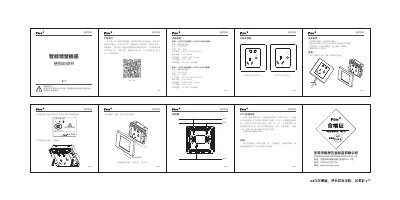
The Hansi HS920 and HS921 series are Wi-Fi smart wall sockets compatible with standard Chinese 5-hole outlets. They support app control via Wi-Fi, manual switch priority, timing, countdown, power statistics, and voice control via Tmall Genie, Xiao Ai, and other third-party voice assistants. The panel uses CNC aluminum alloy with new national standard safety certification.
Installation requires a professional electrician with power off before wiring. Follow the wiring diagram (live, neutral, ground), secure the socket in the base box, attach the frame, and wait 5 seconds after power-on. WiFi configuration is done via the app: scan the QR code, add the device, long-press the socket button until the red indicator flashes rapidly, enter Wi-Fi credentials, and complete pairing. The product also supports third-party voice control devices. This manual is written in Chinese.
| Model | HS920 (standard) / HS920A (non-metering) / HS921 (standard) / HS921A (non-metering) |
|---|---|
| Dimensions | 86x86x33 mm |
| Material | PC + Aluminum |
| Working Voltage | AC110-250V 50-60Hz |
| Max Load (HS920/HS920A) | 10A/2500W |
| Max Load (HS921/HS921A) | 16A/4000W |
| Wireless Band | 2.4GHz 802.11 b/g/n |
| Operating Temperature | -20°C to 50°C |
| Operating Humidity | 10%-90% non-condensing |
Turn off power, remove the frame, connect wires according to the wiring diagram (live, neutral, ground), secure the socket in the base box, replace the frame, and power on after 5 seconds.
Scan the QR code to install the app, register/login, add device, select electrician-socket (Wi-Fi), long-press the socket button until the red indicator flashes rapidly, enter Wi-Fi name and password, and wait for configuration to complete.
The product supports third-party voice control devices such as Tmall Genie and Xiao Ai.