
Key facts
- Manuals
- 1
- Languages
- ZH
- Last added
- 2023-11-17
Featured Hansi manuals
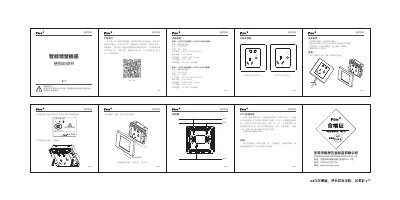
Hansi HS920/HS921 Series Smart Wall Socket User Manual
The Hansi HS920 and HS921 series are Wi-Fi smart wall sockets compatible with standard Chinese 5-hole outlets. They support app control via Wi-Fi, manual switch priority, timing, countdown, power statistics, and voice control via Tmall Genie, Xiao Ai, and other third-party voice assistants. The panel uses CNC aluminum alloy with new national standard safety certification.
Installation requires a professional electrician with power off before wiring. Follow the wiring diagram (live, neutral, ground), secure the socket in the base box, attach the frame, and wait 5 seconds after power-on. WiFi configuration is done via the app: scan the QR code, add the device, long-press the socket button until the red indicator flashes rapidly, enter Wi-Fi credentials, and complete pairing. The product also supports third-party voice control devices. This manual is written in Chinese.
Covers: Product Introduction · Detailed Parameters · Product Diagram · Safety Precautions · Installation · Wiring Diagram
Latest Hansi manuals
Hansi HS920/HS921 Series Smart Wall Socket User Manual
User Manual 1 pages · 1.2 MB · ZHUser manual for Hansi HS920 and HS921 series Wi-Fi smart wall sockets covering installation, wiring, app configuration, and voice control.
Which document do I need?
User Manual
Day-to-day operation, settings and troubleshooting. Start here if the product is already set up.
Questions answered in Hansi manuals
How do I install the smart wall socket?
Turn off power, remove the frame, connect wires according to the wiring diagram (live, neutral, ground), secure the socket in the base box, replace the frame, and power on after 5 seconds.
From: Hansi HS920/HS921 Series Smart Wall Socket User Manual
How do I configure WiFi for the socket?
Scan the QR code to install the app, register/login, add device, select electrician-socket (Wi-Fi), long-press the socket button until the red indicator flashes rapidly, enter Wi-Fi name and password, and wait for configuration to complete.
From: Hansi HS920/HS921 Series Smart Wall Socket User Manual