
This wireless video stand can be embedded in a specific location on the side of the blackboard. When the stand is not in use, it can be inserted into the side of the blackboard, which can both charge and store it.
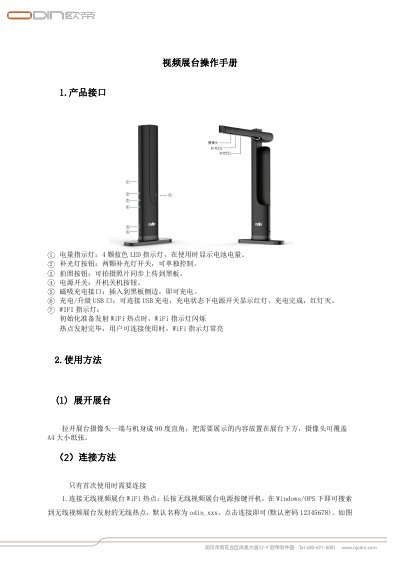
This document is the operation manual for a wireless video display stand. It details the physical interfaces, such as the power switch, LED indicators, and charging ports. The guide explains how to deploy the stand and connect to the device via a Wi-Fi hotspot for the first time. This manual is written in Chinese.
The camera can cover A4 size paper.
The default hotspot name is odin_xxx and the default password is 12345678.
It captures a photo and uploads it to the blackboard.
It can be inserted into the blackboard side, where it charges and is stored with the metal patch facing down.