
The MOVO WMX-1 is a wireless microphone system that features 2.4GHz digital transmission technology, a built-in lithium battery, and support for multiple devices such as smartphones, cameras, and camcorders. It is easy to use and operate, making it a great choice for a variety of applications.
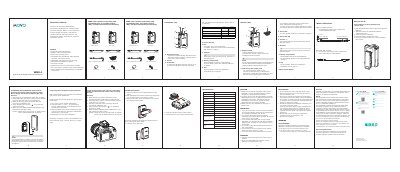
The Movo WMX-1 is a dual-channel 2.4 GHz digital wireless microphone system. It is used for capturing audio with dual subjects through smartphones, tablets, DSLRs, consumer camcorders, and PCs. The WMX-1 K1 includes one body-pack transmitter, a portable receiver, and accessories, while the WMX-1 K2 includes two body-pack transmitters, a portable receiver, and accessories.
Setup instructions explain how to insert two AAA batteries into the transmitter and receiver, connect the microphone, and connect the receiver to a camera or smartphone using the supplied cables. The manual also covers pairing the transmitter and receiver, using volume controls, checking LED indicators, and following safety and maintenance warnings.
| Frequency band | 2.4GHz (2405-2478MHz) |
|---|---|
| Frequency response | 35Hz-14KHz±3dB |
| Operation range | 60m (197ft) (without obstacle) |
| Power requirements | 3V DC (Two AAA size batteries) |
| Distortion | 0.05% or less |
Both the transmitter and receiver require two AAA size batteries. Slide and remove the battery compartment cover, insert two batteries, and close the cover.
For cameras, connect the receiver LINE OUT to the camera with a 3.5mm TRS cable. For smartphones, use a 3.5mm TRRS cable from the receiver LINE OUT to the device.
Turn on the receiver and transmitter, then press the receiver’s + and - buttons for 3 seconds and press the transmitter’s Pair button for 3 seconds at the same time. When they connect, the receiver LED stays blue and the transmitter LED flashes every 2.5 seconds.