
This product is a game steering wheel, suitable for PS3, PS2 and PC, compatible with all games. It adopts ergonomic design, so that it will not feel tired even if used for a long time, and is equipped with its own ventilation system at the hand position, which can be used for extreme game mode. It makes the game more realistic, maneuverable and interesting.
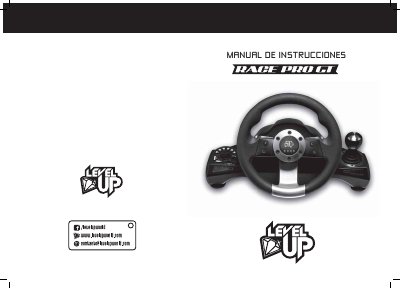
This manual explains how to connect and use the LevelUp RACE PRO GT steering wheel with PS2, PS3, and PC systems. It also covers button remapping, sensitivity adjustment, pedal and shifter setup, and common troubleshooting steps.
The wheel includes a 270-degree steering angle, double vibration, multiple LED indicators, programmable buttons, and several operating modes for compatible games and consoles. This manual is written in Spanish.
| Compatibility | PS2, PS3, and PC |
|---|---|
| Steering angle | 270 degrees |
| Sensitivity settings | Low, Medium, High |
| Vibration | Double vibration |
| Suction cups | Six |
| Channel LEDs | 4 |
| Left and front LEDs | 6 left and 2 blue front |
| Right LEDs | 6 |
| Buttons | 8 (START, SELECT, L1, R1, L2, R2, L3, R3) |
| D-pad | 4 directions |
| Analog buttons | 4 |
| Programmable keys | 9 |
| Operating modes | Digital, Analog, Neg |
| PC interface | USB port |
| Supported Windows versions | Windows 98, ME, 2000, XP, and Vista |
| DirectX | 7.0 or higher |
Connect the wheel while the console is off, turn the console on, then press the MODO button to connect. The MODO button also works as the PS button on the PS3 controller.
The PC needs a USB port, Windows 98, ME, 2000, XP, or Vista, and DirectX 7.0 or higher.
Press the programmer button (Start-Select) for three seconds until the green light turns on, press the button to move, then press the destination button.
Do not turn the wheel while powering on the PlayStation. Turn off the console, center the wheel, then turn the console back on.