
Key facts
- Manuals
- 1
- Languages
- ES
- Last added
- 2023-11-16
Featured LevelUp manuals
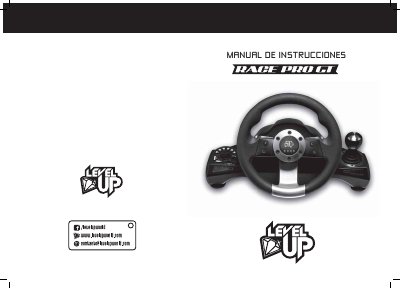
LevelUp RACE PRO GT Steering Wheel User Manual
This manual explains how to connect and use the LevelUp RACE PRO GT steering wheel with PS2, PS3, and PC systems. It also covers button remapping, sensitivity adjustment, pedal and shifter setup, and common troubleshooting steps.
The wheel includes a 270-degree steering angle, double vibration, multiple LED indicators, programmable buttons, and several operating modes for compatible games and consoles. This manual is written in Spanish.
Covers: INTRODUCCIÓN · Especificaciones · Ubicación de comandos · Tabla de funciones · CONEXIÓN · PROBLEMAS AL USAR
Latest LevelUp manuals
LevelUp RACE PRO GT Steering Wheel User Manual
User Manual 4 pages · 1.8 MB · ESUser manual for the LevelUp RACE PRO GT steering wheel, covering setup, connection, button remapping, and troubleshooting for PS2, PS3, and PC.
Which document do I need?
User Manual
Day-to-day operation, settings and troubleshooting. Start here if the product is already set up.
Questions answered in LevelUp manuals
How do I connect the wheel to a PS3?
Connect the wheel while the console is off, turn the console on, then press the MODO button to connect. The MODO button also works as the PS button on the PS3 controller.
What are the PC system requirements?
The PC needs a USB port, Windows 98, ME, 2000, XP, or Vista, and DirectX 7.0 or higher.