
Relay Output Module Nano Relay Output PoE Nano Relay Output Soft > = 1.21 INVEO s.c. ul. Rzemieślnicza 21 43-340 Kozy tel: +48 33 444 65 87 www.inveo.com.pl [email protected] Dear Customer! Thank you very much for choosing our product. Before its use, please read these instructions carefully. Here you find the most appropriate ways of dealing with this device, the basic principles of safety and maintenance. Please, also keep the user manual so that you can read it during later use. Attention! The manufacturer is not liable for any damage caused by improper use of the device which differ from its intended purpose, or improper handling, as well as a fault of driver resulting from improper use. User manual Nano Relay Output PoE / Nano Relay Output Page 2 of 29 [B02a] Contents: 1 PRELIMINARY INFORMATION.....4 2 APPLICATION OF THE DEVICE......5 3 WARRANTY AND LIABILITY OF THE MANUFACTURER...5 4 SAFETY GUIDELINES.....6 4.1 STORAGE, WORK AND TRANSPORT CONDITIONS.....6 4.2 INSTALLATION AND USE OF THE DEVICE......6 4.3 DECOMMISSIONING OF THE DEVICE.....6 5 CONSTRUCTION OF THE DEVICE......7 5.1 NANO RELAY OUTPUT POE.....7 5.2 NANO RELAY OUTPUT......9 6 CONFIGURATION OF THE DEVICE.....11 6.1 CHANGING THE DEVICE'S IP ADDRESS BY DISCOVERER APPLICATION...11 6.2 CHANGING THE PC'S SUBNET ADDRESS, FOR THE DEVICE CONFIGURATION....12 6.3 SECURITY SETTINGS AND ADMINISTRATION....14 7 THE DEVICE FUNCTIONS.....15 7.1 OUTPUT CONTROL.......15 7.2 CONFIGURATION OF THE OUTPUT CHANNEL....
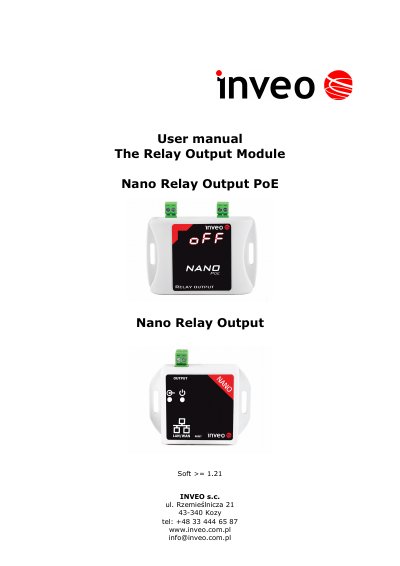
INVEO's Nano Relay Output PoE and Nano Relay Output are relay output modules used to control one electrical circuit using a relay. The manual covers safety, storage and transport conditions, construction, connectors, and configuration of the devices.
It also describes communication through the built-in web server, Windows and Linux command-line programs, Modbus TCP, SNMP, HTTP, MQTT Inveo, and TCP/UDP protocols, plus DHCP, IP address checking, external network access, factory defaults, and firmware update.
| Power supply (Nano Relay Output PoE) | PoE: 33-57V POE IEEE 802.3af; DC: 10-24VDC |
|---|---|
| Power consumption (Nano Relay Output PoE) | max 1.5W |
| Output type | relay NO |
| Max current | 1A @ 30VDC |
| Engage time | 10ms |
| Disengage time | 5ms |
| Communication (Nano Relay Output PoE) | 1 port Ethernet: 10Mbps PoE IEEE 802.3af |
| Housing IP code | 30 |
| Power supply (Nano Relay Output) | 12-24VDC via PoE adapter |
| Communication (Nano Relay Output) | 1 port Ethernet: 10Mbps passive PoE 12-24VDC |
The manufacturer provides a 2-year warranty on the device.
Press and hold the reset button until the display shows the four parts of the IP number, then release it.
Press and hold the RESET button for 5 to 10 seconds; the green LED flashes or the display shows dhcP.
Port TCP 80 for website/HTTP, TCP 9761 for programs, TCP 502 for Modbus TCP, and UDP 161 for SNMP.