
This document is an installation guide for the Lift HAWK elevator control system.
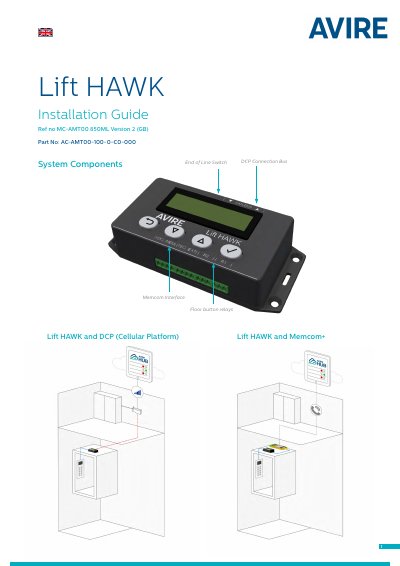
The Avire Lift HAWK Installation Guide (Ref no MC-AMT00 850ML, Version 2) explains mounting the HAWK on top of the lift car (TOC), connecting R1 and R2 to floor button wiring, and connecting it to a DCP or Memcom+ communication device. It provides wiring diagrams, dimensions, the EOL switch setting, and Memcom+ settings.
The guide also covers clock setup, full programming options, and modes including Remote, Timed, Autonomous, Blocked Time Period, and Required Time. It explains how to trigger a remote test with a Memcom system and gives Avire technical support contact information.
| Dimensions | 126.00 [4.961] x 42.00 [1.654] x 113.82 [4.481] |
|---|---|
| Floor button relay outputs | 2 relays for 2 floor call buttons |
| DCP shaft number range | 1-4 |
| DCP node number range | 0-3 |
| Test mode inactivity interval | 60 seconds |
It must be installed on top of the lift car (TOC) using the screws provided.
It switches the device to EOL when set to the left; the switch is located next to the CAN BUS.
After phoning your Memcom number and entering the menu, use *822# to trigger a lift test.
It self-learns periods of activity and tests the lift based on average usage.