
The Halin RS485 remote display terminal is a product with a screen LCD display, which can cyclically display information such as cumulative heat, cumulative cooling, flow and temperature.
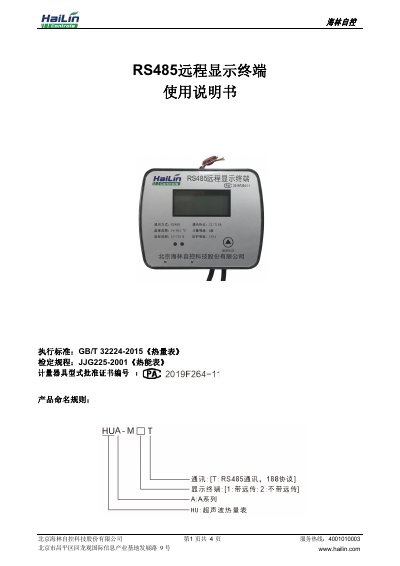
The Halin RS485 Remote Display Terminal is a secondary development product for ultrasonic heat meters. It features a liquid crystal display that can cycle through cumulative heat, cumulative cold, flow rate, and temperature information. Users can also fix the display to a specific interface by touching the magnetic induction area on the integrator; the device automatically enters the cycle display mode after 3 minutes of inactivity. The terminal communicates via RS485 using the CJ/T188 protocol. This manual is written in Chinese.
| Power Supply | DC24V±10% |
|---|---|
| Communication Protocol | CJ/T188 |
| Baud Rate | 2400bps |
| Temperature Range | (4-95)℃ |
| Protection Rating | IP54 |
| Dimensions | 105mm×88mm×39mm |
It is recommended to use an RVVP4×0.12 square millimeter cable when extending the line.
Connecting the power lines incorrectly will cause the product to burn out.
No, this product can only be installed indoors.