
Key facts
- Manuals
- 1
- Languages
- ZH
- Last added
- 2023-11-15
Featured Halin manuals
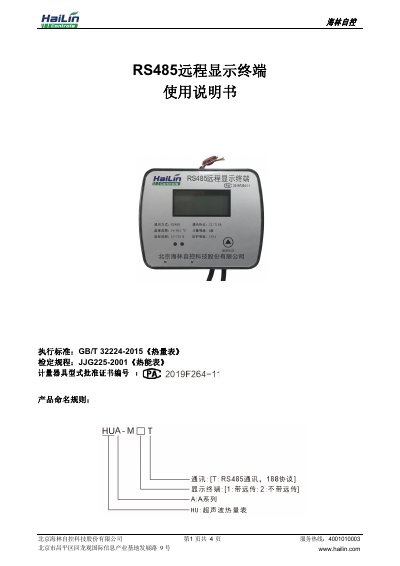
Halin RS485 Remote Display Terminal User Manual
The Halin RS485 Remote Display Terminal is a secondary development product for ultrasonic heat meters. It features a liquid crystal display that can cycle through cumulative heat, cumulative cold, flow rate, and temperature information. Users can also fix the display to a specific interface by touching the magnetic induction area on the integrator; the device automatically enters the cycle display mode after 3 minutes of inactivity. The terminal communicates via RS485 using the CJ/T188 protocol. This manual is written in Chinese.
Covers: Overview · Product Technical Parameters · Wiring and Debugging · Liquid Crystal Display · Indicator Light Display · Dimensions and Installation
Latest Halin manuals
Halin RS485 Remote Display Terminal User Manual
User Manual 4 pages · 412 KB · ZHThis manual provides operating instructions, technical specifications, and installation guidelines for the Halin RS485 Remote Display Terminal used with…
Which document do I need?
User Manual
Day-to-day operation, settings and troubleshooting. Start here if the product is already set up.
Questions answered in Halin manuals
What cable should be used to extend the connection?
It is recommended to use an RVVP4×0.12 square millimeter cable when extending the line.
What happens if the power lines are connected incorrectly?
Connecting the power lines incorrectly will cause the product to burn out.