
The Renwouyou 200W is a car navigation system with the following features: 1. Large screen with a resolution of 800x480 pixels for clear and细腻 display effects; 2. Built-in GPS module that supports global satellite positioning systems for high positioning accuracy; 3. Support for multiple maps, including China maps, European maps, American maps, etc.; 4. Support for multiple navigation methods, including voice navigation, electronic map navigation, and real-scene navigation; 5. Support for multiple functions, including music playback, video playback, picture browsing, and e-book reading.
This is the Chinese user manual for the Renwoyou 200W car GPS navigator. It lists the standard accessories supplied with the device — the main unit, a suction-cup windshield mount, a car charger for the cigarette-lighter socket, a dashboard suction disc, a USB data cable and the Chinese operation manual — and describes the power switch, SD card slot, mini-USB power connector, speaker and reset button.
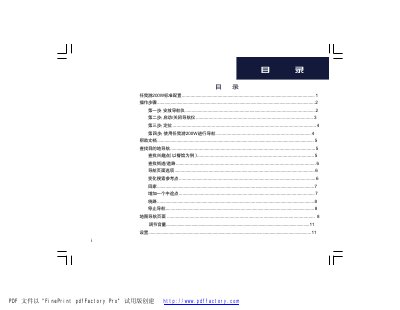
The manual walks through the operating steps in order: mounting the navigator on the windshield, powering it on and off, waiting for enough satellite signal before positioning, and navigating to a destination. Further sections explain searching for points of interest, streets and saved favorites such as "home", adding via points, detours and stopping navigation, the map page, volume, and the settings menus (map, system, safety, navigation, time, language, display, proximity alerts). Tools include a photo album, calculator, currency converter, unit converter and world clock. Appendix A covers restarting the device, clearing user data, mounting the bracket on the dashboard and technical specifications, and Appendix B introduces GPS. The manual ends with safety disclaimers about safe placement and driving. This manual is written in Chinese.
Push the power key at the top of the unit to the far right to lock the screen; push it back to the middle position to operate the screen again.
You can charge it through the car power cable connected to the cigarette-lighter socket, through an optional AC adapter, or by connecting it to a computer with the data cable.
On the main page tap 您要去哪里? > 我的最爱 > 回家 and choose a method to set the home position; afterwards tapping 回家 automatically calculates a route home.
Tap 菜单 > 绕路 and the navigator will recalculate a route to avoid the road section ahead, then try to guide you back to the original route if possible.