
Q30TIRM is a powerful 3-axis gimbal integrated with a 30x optical zoom SONY camera, a 25mm lens 640*480 IR thermal sensor and a 1.5km laser rangefinder. It supports visible optical zoom, IR thermal and visible PIP switch, IR color palette switch, photographing and video, target tracking, thermal digital zoom. When the external GPS and time input, the OSD can display angle, zoom times, target GPS location, target distance measured, real-time, tracking frame, photo and video status, also can select to turn off the OSD. It features fast focus and sensitive distance measurement. The high-precision laser rangefinder can accurately resolve the GPS location and distance of the object within 1.5km. The 3 axis gimbal can achieve stabilization in yaw, roll and pitch. The integrated design of damping system and gimbal can greatly reduce mechanical vibration. Q30TIRM is widely used in UAV industries of public security, electric power, fire fighting, zoom aerial photography and other industrial applications.
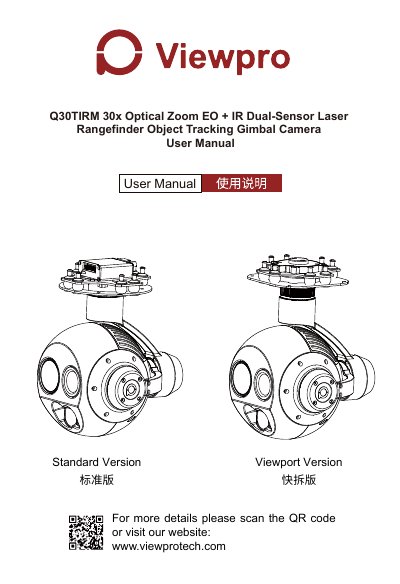
This user manual covers the Viewpro Q30TIRM, a 3-axis gimbal camera that integrates a 30x optical zoom SONY camera, a 25mm lens 640*480 IR thermal sensor and a 1.5km laser rangefinder. It supports visible optical zoom, IR thermal and visible PIP switching, IR color palette switching, photographing and video, target tracking and thermal digital zoom. With external GPS and time input, the OSD can display angle, zoom times, target GPS location, measured target distance and tracking frame.
The manual describes the Standard Version and Viewport Version, lists the items in the box, explains the control box interfaces and device dimensions, and gives installation instructions including mounting part installation and viewport release. It also includes the thermal imager specifications, laser rangefinder packing information and a FAQ section. The gimbal camera is intended for UAV applications such as public security, electric power, fire fighting and aerial photography.
| Optical zoom | 30x (SONY camera) |
|---|---|
| Thermal detector resolution | 640*480 |
| Thermal lens size | 25mm |
| Thermal pixel size | 17μm |
| Thermal working mode | Uncooled long wave (8μm~14μm) |
| NETD | ≤50mK (@25°C) |
| Thermal digital zoom | 1x ~ 4x |
| Laser rangefinder range | 5~1500 meters |
| Laser rangefinder resolution | 0.5m |
| Laser light beam | 905nm pulse laser |
| Laser power | ≤1 mW (safe for eye) |
| Power input | 3S-6S |
| Weight | 1346g / 1429g (Viewport version) |
| Product dimensions | 160*163.2*212.6mm |
Enable defogging mode.
Yes, it supports taking photos during recording.
When the IP output resolution is 1280*720 the storage resolution is 1920*1080, and when the IP output resolution is 1920*1080 the storage resolution is 1280*720. The TF card video frame rate matches the IP output setting, with 25fps or 30fps optional.
Yes, it supports simultaneous TCP control for multiple devices.
Send the serial command for switching and reboot the gimbal to save the setting. "AA 55 0F 31 FF" displays the target GPS position and "AA 55 0F 30 FF" displays the current GPS position of the aircraft.