
User manual for the Viewpro Z30F 30x optical zoom gimbal camera, covering box contents, installation, dimensions, specifications and FAQ for Standard and…
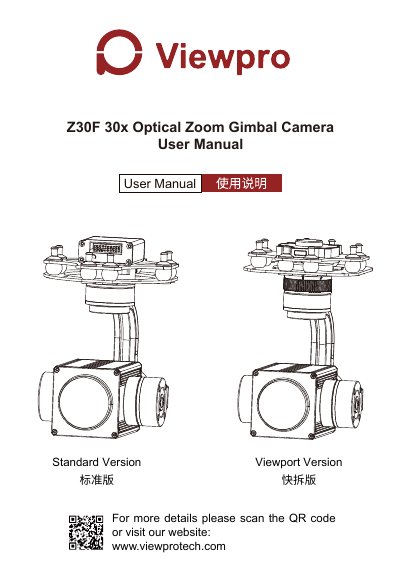
This user manual covers the Viewpro Z30F, a 3-axis gimbal camera with a 30x optical zoom lens and an effective 4-megapixel sensor. The manual addresses both the Standard Version and the Viewport Version, and explains the damping system, yaw/roll/pitch stabilization, and typical UAV uses such as public security, electric power, firefighting and zoom aerial photography.
The document lists the contents of the box for each version, describes the control box interfaces and labels, gives device dimensions in millimeters, and provides step-by-step installation instructions including mounting the copper cylinders to the UAV board and the Viewport release procedure. It ends with gimbal and camera specification tables, packing information, and a FAQ section covering video outputs, TF card storage, photo capture during recording and focusing modes.
| Gimbal axes | 3-axis stabilization in yaw, roll and pitch |
|---|---|
| Effective pixels | 4 MP (2688x1520) |
| Optical zoom | 30x, F=4.5~135mm |
| Pitch/Tilt range | ±90° |
| Vibration angle | Pitch/Roll: ±0.02°, Yaw: ±0.03° |
| Viewing angle | Horizontal 54.8° (wide) to 3.4° (tele) |
| Min object distance | 1.5 m |
| Local video recording | 1080P 30fps to local TF card |
| HD output | 1080P/720/480P 60fps HDMI 1.4 |
| AV output | Standard CVBS 1Vp-p |
| Min illumination | Color 0.05 lux @ F1.6 |
| Control system | UART/IR/PWM |
| Communication protocol | PELCO-D, Hitachi protocol or VISCAM |
| Focus | Auto/Manual/One-time automatic focus, speed <1s |
| User presets | 20 sets |
| Object tracking (optional) | Min object size 16x16 pixel, max 160x160 pixel, ±32 pixel/frame |
| Net weight | 640 g |
| Product dimensions | 149*103*138 mm |
| Power input | 3S-6S |
HDMI 1080p 60fps (default) or HDMI 1080p 30fps, compatible with analog output.
Make sure a TF card is inserted in the specified card slot with max capacity 32G, class 10 or above speed, FAT32 or exFAT format; if problems persist, format the TF card.
No. The camera has separate photo mode and record mode, so you must switch to photo mode to take a picture.
The camera can focus automatically or manually.