
This product is a smart electricity meter that can monitor various electrical variables.
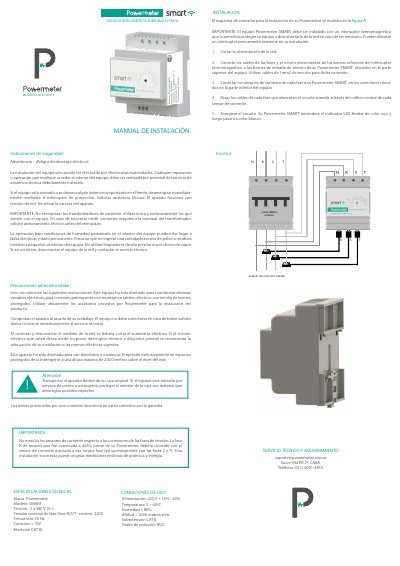
This document is the installation manual and quick start guide for the Powermeter SMART, a smart three-phase electricity meter (medidor inteligente de energía eléctrica) that works as a bidirectional network analyzer with WiFi connectivity. It mounts on a DIN rail in an electrical panel and is designed for domestic and commercial use in protected indoor locations. The installation section covers safety warnings, the connection diagram (Figura A), and the wiring steps, which require a thermal magnetic breaker, 1 mm² cables for the voltage terminals, and the supplied current sensors, which must not be mixed between phases.
The quick start section explains how to create a Powermeter user account at panel.powermeter.com.ar, connect to the meter's Powermeter_xxxxxxxx WiFi network (default password "powermeter"), and open the configuration portal at 192.168.4.1 within 5 minutes of power-up. It also describes the front LED indicator states (red, white, green, blue) that show startup and connection status, and notes that the full user manual is available online at powermeter.com.ar. This manual is written in Spanish.
| Voltage | 3 x 380 V (3~) |
|---|---|
| Nominal phase voltage (R/S/T - neutral) | 220 V |
| Frequency | 50 Hz |
| Power consumption | < 5 W |
| Measurement category | CAT III |
| Power supply | 220 V +10% / -20% |
| Operating temperature | 5 – 40 °C |
| Humidity | < 80% |
| Maximum altitude | < 2000 m above sea level |
| Overvoltage | CAT II |
| Ingress rating | IP20 |
Only licensed electricians may install the equipment, and any repair involving access to the inside of the unit must be done by qualified technical service personnel.
Connect to the meter's Powermeter_xxxxxxxx WiFi network (default password "powermeter"), then open a web browser and enter 192.168.4.1 in the address bar.
A fixed blue LED means the meter has connected successfully to the Powermeter server.
The portal uses the user name "admin" with the password "powermeter".