
This guide explains how to create interactive navigation using Adobe Fireworks and Adobe Dreamweaver.
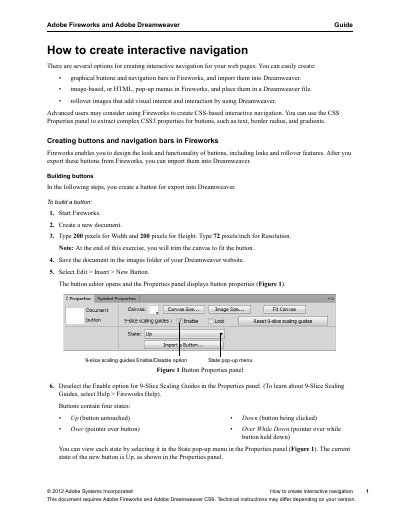
This document provides technical instructions for creating interactive navigation for web pages using Adobe Fireworks and Adobe Dreamweaver CS6. It covers the creation of graphical buttons, image-based pop-up menus, and rollover images. The guide details the step-by-step process of building buttons in Fireworks, including setting up states, adding filters, and aligning text. It also explains how to export these interactive elements as HTML and import them into a Dreamweaver document.
This document requires Adobe Fireworks and Adobe Dreamweaver CS6.
You can use the Rectangle or Ellipse tool to draw a shape, add text, and define four states: Up, Over, Down, and Over While Down.
In the Insert panel, select Fireworks HTML from the Images pop-up menu, browse for the HTML file, and click OK.